Traducteur en temps réel pour Google Meet
Traduisez votre voix en direct dans Google Meet avec Speechka, une app Mac qui envoie la traduction vocale personnelle via VB-Cable. Speechka keeps product setup simple: create your personal voice, use Listen to test privately, then Broadcast translated speech into Google Meet.
real-time translator for Google Meet
Speechka for Google Meet
Live translated voice in your meeting audio
Speechka translates your microphone audio in real time and routes the generated voice through VB-Cable, so Google Meet can receive it as a microphone source.
Use it for multilingual meetings, interviews, demos, classes, community calls, and client conversations where spoken translation needs to happen while the call is live.

Real-time meeting translation
Speak normally while Speechka handles transcription, translation, personal voice generation, and output routing.

Private test before Broadcast
Use Listen to check translation privately, then switch to Broadcast when you are ready for others to hear it.
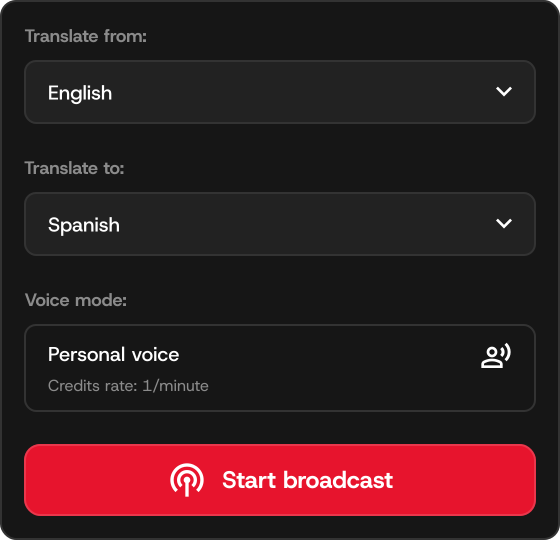
How it works
Use Speechka with Google Meet
Install Speechka on Mac, create your personal voice, choose source and target languages, then select VB-Cable as the microphone in Google Meet for Broadcast.
Prepare your voice
Record a short personal voice sample and keep your translation language settings ready before the meeting starts.
1
Check with Listen
Test translation privately so you can confirm the app heard and translated the phrase correctly.

Broadcast through VB-Cable
Switch to Broadcast and choose VB-Cable in Google Meet so participants hear the translated voice.
3
Pricing
Start with Free Trial, upgrade to Pro
Free Trial includes 7 days and 10 credits. Pro is $19.99/month with 180 credits monthly, and additional credits are available when you need more live translation time.
Télécharger pour MacFree Trial
Free
7 days / 10 credits
Try live translation before subscribing.
Pro
$19.99/mo
180 credits monthly
For regular Google Meet meetings and multilingual calls.
FAQ
Quick answers
Practical setup notes for using Speechka as a real-time translator for Google Meet.
Does Speechka join my Google Meet meeting?
No. Speechka runs locally on your Mac and sends translated audio through VB-Cable as your selected microphone source.
Can I test before others hear it?
Yes. Use Listen privately before switching to Broadcast for the live call.
Do I need VB-Cable?
Yes. VB-Cable routes Speechka's translated voice into Google Meet as microphone audio.
How is usage counted?
One credit equals about one minute of personal voice translation during Listen or Broadcast sessions.